Part 1: MP3ify Review: Good or Bad?
What Can MP3ify Do? Features and Test Results
🔗MP3ify Website: https://www.mp3ify.io/
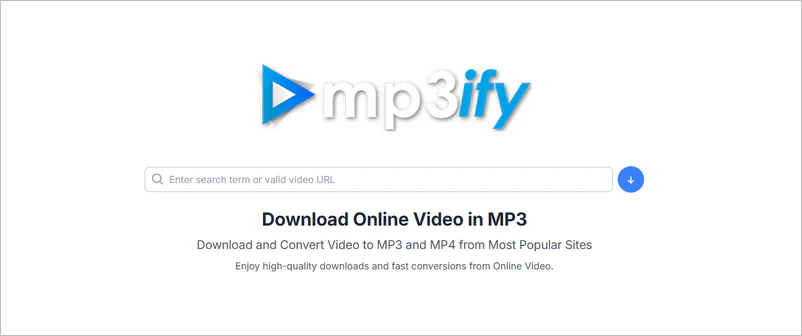
MP3ify is an online video converter that allows you to download and convert videos from most popular sites into MP3 and MP4. Based on our September 2026 test, MP3ify supports both MP3 and MP4 conversion, but several features are limited without signing up. Guest users can convert one file per day, with a maximum video duration of 10 minutes. Free MP3 output is limited to 64 or 128 kbps, while MP4 output is available up to 720p.
MP3ify states that it supports 1,000 video and audio sites, but it does not list them specifically. In our testing, we could successfully parse YouTube, Facebook, and SoundCloud links, but other websites still need to be verified.
MP3ify Real Test Results
| Test date |
September 2026 |
| YouTube short video |
✅ Pass |
| YouTube video over 1 hour |
❌ Fail (guests can only convert videos up to 10 minutes) |
| Public playlist |
❌ Fail |
| MP3 bitrate options |
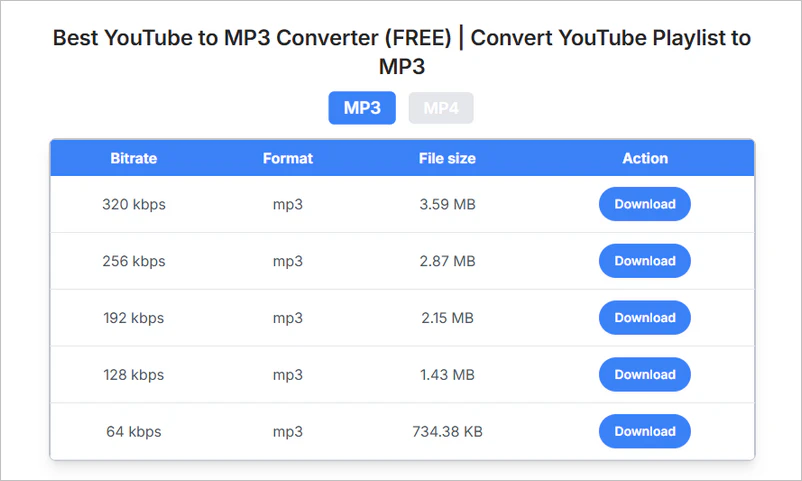
64/128 kbps free; 192/256/320 kbps require sign-up |
| MP4 output |
360p/720p free; 1080p requires sign-up |
| Batch conversion |
❌ Not supported |
| Free conversion limit |
1 conversion/day |
| Editing tools |
Trim MP3 |
How to Convert Video to MP3 Using MP3ify?
Step 1: Click to open MP3ify and enter a search term or valid video URL.
Step 2: Click the download button on the right to go to the next page.
Step 3: MP3ify will list MP3/MP4 formats and available quality; you only need to select one to download.
Is MP3ify Free and Legal?
Free to use? MP3ify is free to use, but it also has limitations. Guest users can only convert one video to MP3 for free each day. That's far from enough. Furthermore, higher-quality MP3 and MP4 options require signing up.
Legal to use? MP3ify itself is a conversion service, but whether downloading a particular video or audio file is legal depends on the content, copyright status, and applicable laws. When using this online tool, we recommend that you download content you have the right or permission to download.
Pros:
🔴 No software installation required
🔴 No registration required for the first download
🔴 No obvious ads during testing
Cons:
⚫ Unable to convert in batches
⚫ Only convert one video URL for free per day
⚫ Only MP3/MP4 formats are available
⚫ No custom parameter options
⚫ High-quality downloads require signing up
Part 2: 10 Great MP3ify Alternatives
| MP3ify Alternatives |
Supported Sites |
Download Formats |
Batch / Playlist Download |
Free / Paid |
| Any Video Converter |
YouTube and 1,000+ sites |
MP3, M4A, MKV, MP4, FLAC, WAV |
✅Batch + playlist download |
Free version available |
| EzMP3 (EzConv) |
YouTube |
MP3, M4A, WAV, MP4, WebM, MKV, MOV |
Not supported |
Free download limited to 90 min / 720p |
| YTMP3 |
YouTube |
MP3, MP4 |
Not supported |
Free MP3 conversion limited to 240 min
Free MP4 conversion limited to 30 min
|
| Flvto |
YouTube |
MP3/MP4 |
Not supported |
Free |
| Cobalt.tools |
10+ supported sites |
MP4, MKV, MP3, OGG, WAV, GIF, images |
Not supported |
Free |
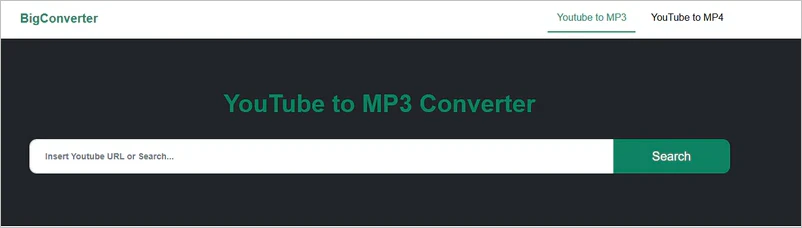
| BigConverter |
YouTube |
MP3, MP4 |
✅Can parse playlists,
but downloading requires a subscription |
Free for single video downloads |
| CNVMP3 |
YouTube and common sites |
MP3, MP4 |
Not supported |
Free MP4 conversion limited to 60 min
Free MP3 conversion limited to 90 min
|
| 9xbuddy |
1,000+ sites (as claimed by the website) |
MP3, MP4, SRT, GIF |
Not supported on the web version. |
Free |
| MP3Convert |
YouTube |
MP3 for free; other formats require payment |
Not supported |
Free MP3 download limited to 90 min |
| X2Mate |
YouTube |
MP4, MP3, M4A, Opus formats |
Not supported |
Free |
1. Any Video Converter
Website https://www.any-video-converter.com
MP3ify may be sufficient for an occasional single conversion in a browser. Any Video Converter is a better fit when you need to process multiple videos, convert a playlist, choose a specific format (MP3, M4A, MKV, MP4, FLAC, WAV), trim or merge the resulting files, or reuse the same workflow regularly.
In addition to free video downloads from 1,000+ websites, Any Video Converter also offers advanced features like automatic downloads and batch file renaming. With automatic downloads, it adds the latest videos to the download queue. You don't need to repeatedly paste and analyze playlist or channel URLs. Automatic file renaming allows you to name files according to your preferences, making it easier to organize your local library.
More Features:
- Batch Downloads: Add multiple video URLs and download them at once
- Playlist/Channel Downloads: Parse a playlist/channel and select the videos you want to download
- Download Subtitles: Download embedded subtitles and AI-generated subtitles from YouTube
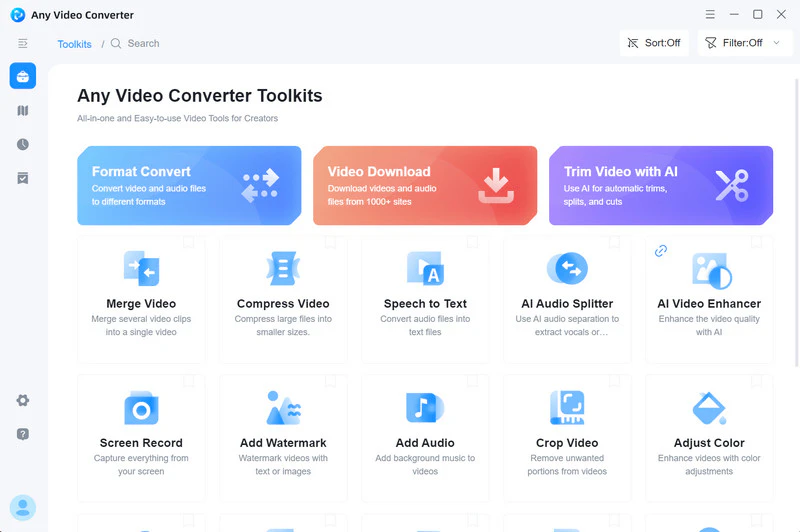
- Built-in Tools: AI trim video, AI split audio, convert both video and audio files to text.
Pros:
🔴 Automatically detect and download new videos
🔴 Rename multiple downloaded files using your own naming rules
🔴 Download videos from 1,000+ websites for free
🔴 Built-in browser for browsing, login, and video parsing
🔴 With 23 years of development and 630+ million users
Cons:
⚫ No web version
⚫ For Windows and Mac only
Steps to Download YouTube with Any Video Converter
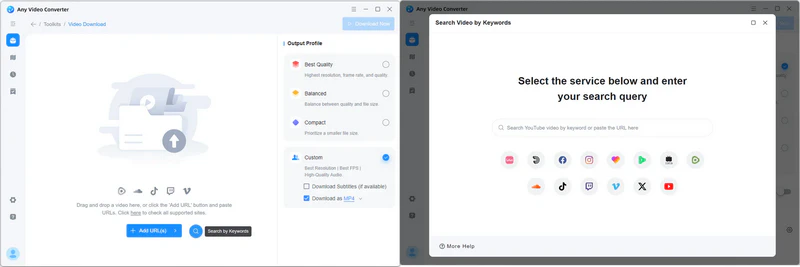
Step 1 Open Any Video Converter and navigate to "Video Download".
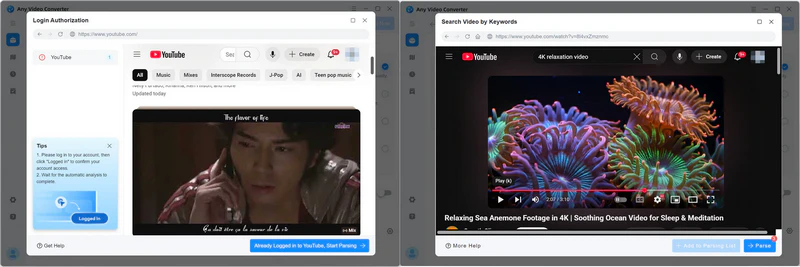
Step 2 Click the magnifier button to open YouTube page.
Step 3 Log into your account and select the video or playlist you want to download. Click "Parse Now" to add it to the parsing box.
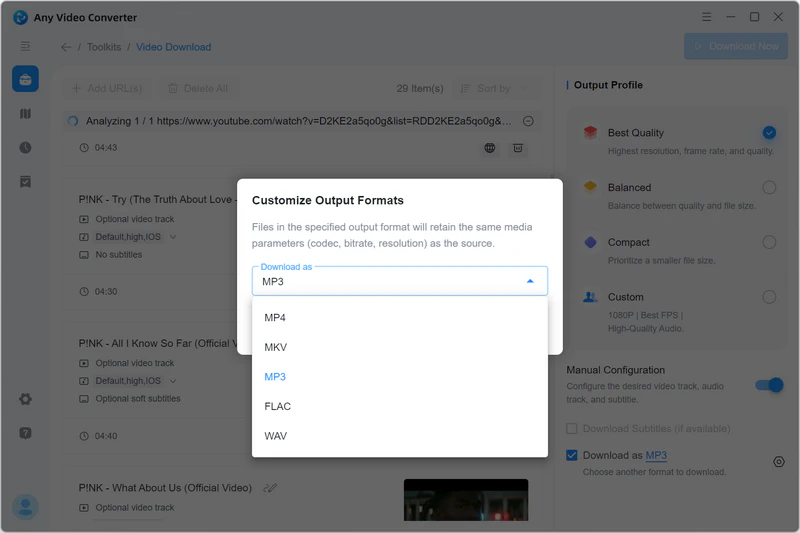
Step 4 Select "Download as MP3" or other formats you want to download.
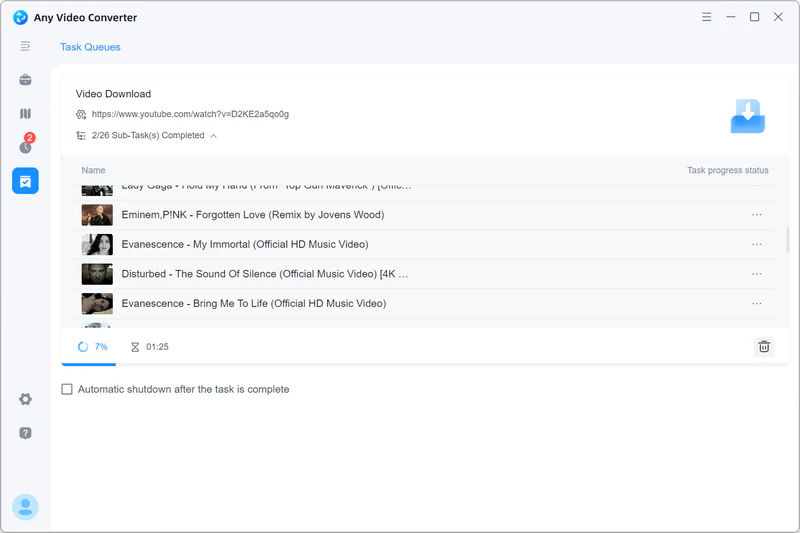
Step 5 Start downloading and converting the video to MP3 on your local device.
🚨
Any Video Converter is a legitimate program. Please ensure that the content you download is legal or authorized.
2. EzMP3 (EzConv)
Website https://ezconv.net/
EzConv, formerly known as EzMP3, helps you extract audio/video content such as music, speeches, and interviews from YouTube and allows you to trim the start and end points of audio. Compared to MP3ify, it has fewer ads on its page.
More Features:
- MP3, M4A, WAV, MP4, WebM, MKV, MOV online output formats
- Choose audio bitrate or video resolution
- Set the start and end points before conversion
- No account registration required
Pros:
🔴 Free audio conversion for up to 4 hours
🔴 Supports multiple formats and audio trimming
🔴 No intrusive ads observed during this test
Cons:
⚫ Free video limited to 90 min / 720p
⚫ High quality and WAV format require payment ($5)
Steps to Download YouTube with EzMP3 (EzConv)
Step 1: First, go to the YouTube and copy a video link. Then, switch to the EzMP3 website and paste the URL.
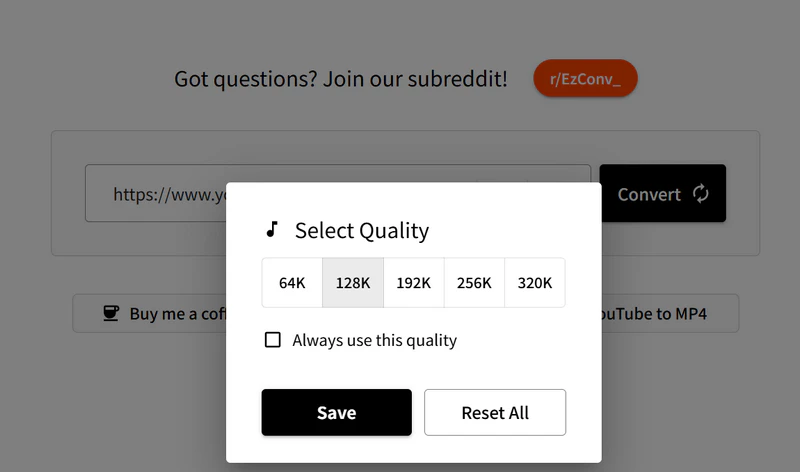
Step 2: Select the output format and quality at the bottom of the parsing box.
Step 3: Click "Convert" and it will begin processing the video. Once processing is complete, you can start the download.
3. YTMP3
Website https://ytmp3.gl/
YTMP3 is a browser-based YouTube converter for downloading videos and extracting audio. It can quickly extract audio from YouTube videos and convert it into MP3 audio files, achieving "audio-video separation" so you can listen to only the audio content in various scenarios.
More Features:
- Convert YouTube videos to MP3 and MP4
- MP3 conversion up to 240 minutes
- MP4 conversion up to 30 minutes
- Support YouTube links, including Shorts
Pros:
🔴 One-click conversion; no software installation required
🔴 Convert 4-hour long videos to MP3
Cons:
⚫ Once the daily conversion limit is reached, you need to wait 24 hours before you can download again
⚫ The domain name will change
⚫ No other output formats or quality options are available
Steps to Download YouTube with YTMP3?
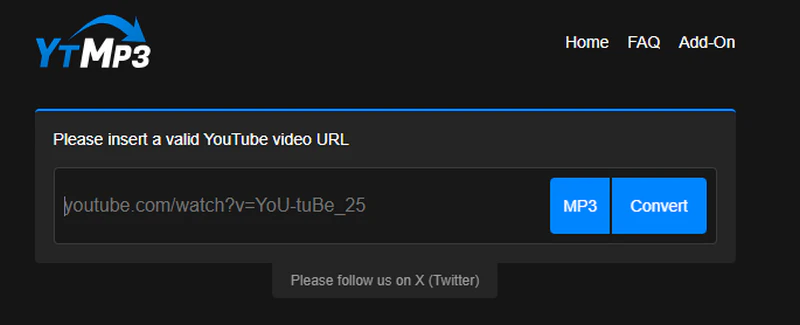
Step 1: Open the YTMP3 website and insert a valid YouTube video URL (no more than 240 minutes).
Step 2: Click the blue "Convert MP3" button and wait for the website to start analyzing the links. The longer the video, the longer it will take.
Step 3: After the parsing is complete, click the blue "Download" button to start downloading the MP3 file.
4. Flvto
Website https://flvto.world/
Flvto is a free YouTube to MP3 converter that lets you easily download and convert YouTube video to MP3 format. It works efficiently on various browsers and devices, such as mobile phones, tablets, desktops, and laptops. No registration is required; you can quickly and freely download YouTube to MP3.
More Features:
- YouTube conversion for free
- Search by name or paste a link
- Browser-based conversion
Pros:
🔴 Convert 8-hour long videos to MP3 for free
🔴 Multilingual interface
Cons:
⚫ Cannot parse non-YouTube links
⚫ Has redirect pages
⚫ No batch downloading
⚫ For temporary conversion solution only
Steps to Download YouTube with Flvto
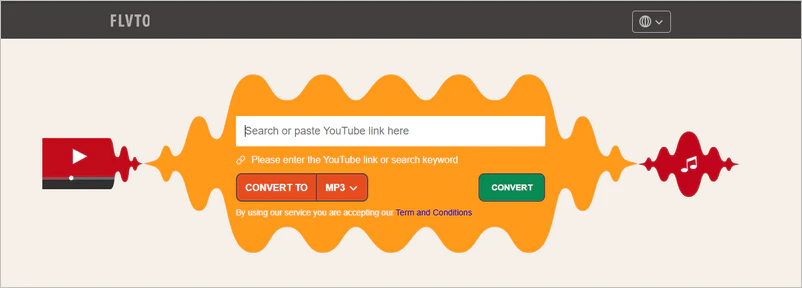
Step 1: Open YouTube and copy the URL, then paste it into the Flvto website.
Step 2: Click the "Convert" button to start the conversion process.
Step 3: Select MP3/MP4 format and quality. Then click the "Download" button to save the file
5. Cobalt.tools
Website https://cobalt.tools/
Cobalt.tools allows you to download videos, audio, images, and GIFs from sites such as YouTube, TikTok, Instagram, Reddit, Vimeo, and SoundCloud. This site is free of ads, trackers, and paywalls during this test.
More Features:
- YouTube downloads up to 8K
- MP4, WebM, MKV video formats
- Audio formats including MP3, OGG, WAV, and Opus
Pros:
🔴 Support for multiple website and media types
🔴 Selectable video resolution and audio bitrate
🔴 Support for downloading metadata
🔴 No ads, no trackers, and no paywalls in the test
Cons:
⚫ Only one video can be parsed at a time
⚫ Sometimes the download is unstable
Steps to Download YouTube with Cobalt.tools
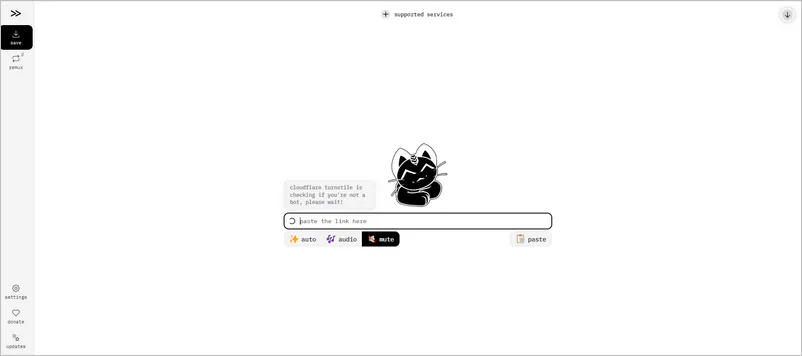
Step 1: Open Cobalt.tools and paste the video URL into the input box.
Step 2: Choose your preferred output format and quality in the settings.
Step 3: Click the "parse" button and then the "Download" button to save the content
6. BigConverter
Website https://en.bigconverter.com/
BigConverter is compatible with multiple browsers, including Google Chrome, Safari, Android browsers, Opera, and Internet Explorer. You can quickly and efficiently extract audio files with just a few clicks in your browser.
More Features:
- It can parse playlists, but downloading requires a subscription
- YouTube to MP4 and MP3 conversion
- Search for YouTube videos by keyword
Pros:
🔴 High device compatibility
🔴 Cut and trim your MP3 files to the exact length
Cons:
⚫ Downloading may involve additional redirects
⚫ Sometimes the download button doesn't work
Steps to Download YouTube with BigConverter
Step 1: Paste the YouTube video URL into the BigConverter search box.
Step 2: Click "Convert" and wait for analyzing.
Step 3: Click the download button to save the file.
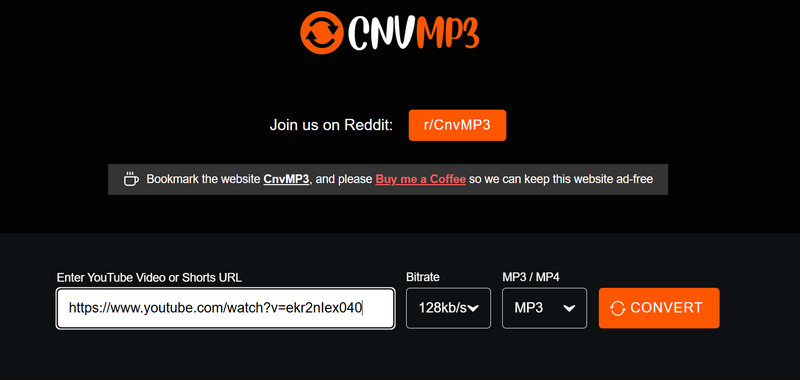
7. CNVMP3
Website https://cnvmp3.com/v55
Another MP3ify alternative, CnvMP3, is a tool that can download videos and convert them to MP3 or MP4. Converting to MP3 allows you to listen to songs and podcasts offline on your device, even in places where YouTube is inaccessible.
More Features:
- Both MP3 and MP4 are available
- Up to 1080p MP4 output
- Downloads from TikTok, Reddit, Instagram, and more
Pros:
🔴 MP3 is available in 96, 128, 256, and 320 kbps
🔴 MP4 offers resolutions from 144p to 1080p
Cons:
⚫ Can't download MP4 longer than 1 hour
⚫ Can't download MP3 longer than 90 minutes
Steps to Download YouTube with CNVMP3
Step 1: Copy the video URL from your browser's address bar or the YouTube share button.
Step 2: Paste the URL into CNVMP3, and then select the MP3 format and bitrate.
Step 3: Click "Convert", and the website will begin processing and downloading.
8. 9xbuddy
Website https://9xbuddy.site/
9xbuddy online downloader supports downloading videos from various streaming and social media platforms, including YouTube, Facebook, Instagram, Vimeo, and Dailymotion. The web version (9xbuddy online downloader) works directly in a browser.
More Features:
- Video and audio download options
- YouTube and other supported websites
- YouTube Music support
Pros:
🔴 Provides multiple download options after URL analysis
🔴 In addition to the web version, there is also an app
Cons:
⚫ Some listed HD options cannot be downloaded successfully
⚫ Some videos are limited to lower-quality downloads
⚫ The web version download is unstable
Steps to Download YouTube with 9xbuddy
Step 1: Copy the URL of the YouTube video you want to download.
Step 2: Paste the URL into the 9xbuddy input box and click Download.
Step 3: Wait for 9xbuddy to analyze the video and display the available download options. Then, select the desired video resolution or audio format to download.
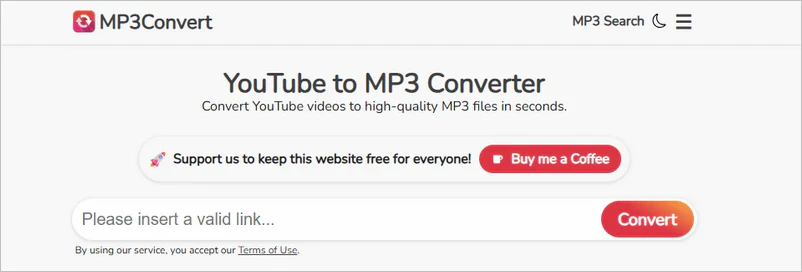
9. MP3Convert
Website https://mp3convert.org/
MP3Convert claims the website is permanently free to use, requiring no registration and with no hidden fees. Download MP3 files at 128 kbps and 320 kbps. It also offers WAV, FLAC, MP4, and other formats, but these require payment.
More Features:
- Extensions are available for Chrome, Firefox, and Opera
- Single-function online downloader
- No registration required
Pros:
🔴 Free youtube to MP3 conversion
🔴 No registration required
Cons:
⚫ Not true 320 kbps quality
⚫ The download button sometimes fails to work
⚫ There are redirect ads
Steps to Download YouTube with MP3Convert
Step 1: Visit MP3Convert, paste the video link, and then click "Convert".
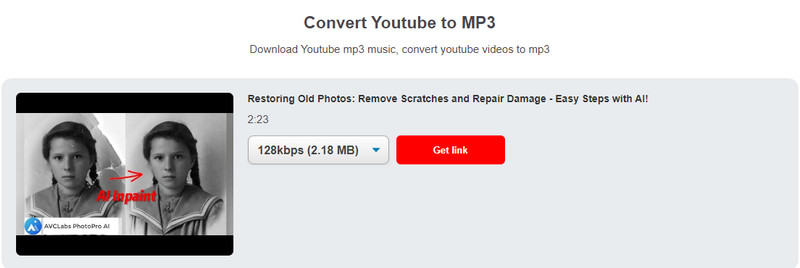
Step 2: Choose your preferred audio quality (128 kbps or 320 kbps), and then let MP3Convert process it.
Step 3: Click the corresponding button on the right to save the MP3 file directly to your device.
10. X2Mate
Website https://x2mate.com/
With X2Mate, you can easily download and save YouTube videos and audio to your phone, computer, and other devices without registration. It performs exceptionally well on all devices, including computers, tablets, and phones. X2Mate can download YouTube content in 1080p without installing any additional software.
More Features:
- Works directly in a web browser
- Only YouTube URLs are allowed
Pros:
🔴 No limit on the number of YouTube videos downloaded
🔴 1080p and 320 kbps quality
🔴 MP4, MP3, M4A, Opus formats
Cons:
⚫ Includes a redirect
⚫ Not true 320 kbps quality
⚫ Available formats and quality depend on the source video
⚫ Need to install the app for resolutions higher than 1080p
Steps to Download YouTube with X2Mate
Step 1: Select any YouTube video you want to download, click the share button, and then click the copy link button.
Step 2: Visit X2Mate, paste your YouTube video link into the search box, and then click the "Download" button.
Step 3: Choose the MP3 format and quality from the available options, and then press the download button.
From an overall perspective, free online MP3ify alternatives have limitations on download requests, output quality, or download stability. These limitations result in a poor downloading experience. If you prefer a desktop tool, Any Video Converter offers another option. You can open the built-in browser in the program, visit websites, add videos, and parse and download them without switching back and forth between the webpage and the program.
Part 3: FAQs about MP3ify
What to do if MP3ify fails to convert or encounters an error?
1. Check your network connection. An unstable network may cause the failure; try switching networks.
2. Close the MP3ify webpage, clear your browser cache, and try again.
3. If the problem continues, consider using another tool like Any Video Converter.
Can MP3ify be used on mobile phones (iOS/Android)?
You can access the MP3ify official website directly on your mobile phone using Safari (iOS) or Chrome/other browsers (Android). The basic process is similar to that on a computer: paste the video link → select the format → convert and download.
Why is MP3ify's conversion speed so slow?
Conversion speed can vary depending on the video length, server load, and network conditions. Longer videos require more time to process, and users may experience longer waiting times when the service is busy. A slow or unstable network connection can also affect the overall conversion and download time.
Does MP3ify support 320 kbps MP3?
MP3ify offers a 320 kbps option, but registration is required. In our tests, the free options were limited to 64 kbps and 128 kbps. Selecting 320 kbps does not mean the source audio actually contains 320 kbps audio data.
How many videos can you convert with MP3ify for free?
Guest users can convert one video per day. Once the daily limit is reached, you must wait until the next day or sign up for an account to access more features.
Can MP3ify download long YouTube videos?
During testing, when we used a guest account to download a video, we received a notification stating that the maximum video duration for conversion is 10 minutes.
Final Thoughts
While MP3ify and many online MP3ify alternatives offer some convenience, they have limitations such as daily conversion limits, limited output options, and no batch or playlist downloads.
Any Video Converter offers richer features for users who need to download and manage multiple videos. It supports batch URLs and playlists downloads, multiple audio and video formats, and long videos/podcast downloads. Additionally, you can batch-rename files and use built-in editing tools to process the downloaded content.
If you need more than just simple online MP3 conversion, Any Video Converter serves as an excellent desktop alternative to MP3ify.

Besty Smith | Content Writer
Besty Smith is a talented and insightful content creator with a keen interest and passion for software programs. She focuses on in-depth research and hands-on experience with various types of software, providing readers with in-depth and inspiring content through precise writing. With her keen insight into the software industry, Besty is committed to helping readers keep abreast of the latest industry trends so that they can stay competitive in the digital age.