Quick Answer: What's the Best Way to Download Vimeo Videos?
The best method depends on your needs. Vimeo's official Download button is the simplest option for a single video when it is available. For batch downloads, channel videos, format conversion, or post-download processing, Any Video Converter is more practical. Online tools are better suited to occasional single-video downloads, while browser extensions are useful when you need to capture media directly from the current page. For private or restricted videos, only download content you own or are authorized to save.
| Vimeo Video Downloader |
Max Quality |
Video & Audio |
Ads/Redirects |
Key Limitations |
| Vimeo Built-in Download Button |
Depends on the uploader's settings |
Video + audio output |
Built-in download button, clean download process |
Not all uploaders enable the download button |
| Any Video Converter |
Up to 4K/8K if provided |
Video + audio output |
Clean download process |
Free Vimeo downloads are only available in the best, balanced, and compact quality |
| 9xbuddy |
Up to 4K if provided |
Video + audio output |
Contains Pop-up ads |
Vimeo files cannot exceed the 500 MB web limit |
| VidDown |
Up to 4K if provided |
Video in MP4 format; no audio format options |
Contains Redirects |
Does not parse Vimeo Channel URLs;
(such as vimeo.com/channels/xxx) |
| AnyDownloader |
Up to 1080p |
Video in MP4 format; no audio format options |
Clean page in this test |
No Vimeo to MP3 and other audio options |
| Loader.to |
Up to 1440p in the test |
Video + audio output |
Contains Redirects |
Slow Vimeo download speed |
| MoiMobi |
Up to 1080p |
Video in MP4 format; no audio format options |
Clean page in this test |
Only Vimeo to MP4 output |
| Klipa.ai |
Only 360p available for free |
MP4 + MP3 output |
Clean page in this test |
300-minute video limit |
| Bulk Media Downloader |
Up to 1080p in the test |
Multiple media files |
Clean page in this test |
Does not clearly label video resolution or quality |
| Video Downloader VeeVee |
HD quality if provided |
Multiple media files |
Clean page |
Slow Vimeo download speed |
Part 1: Can You Download Vimeo Videos? Official Download Option
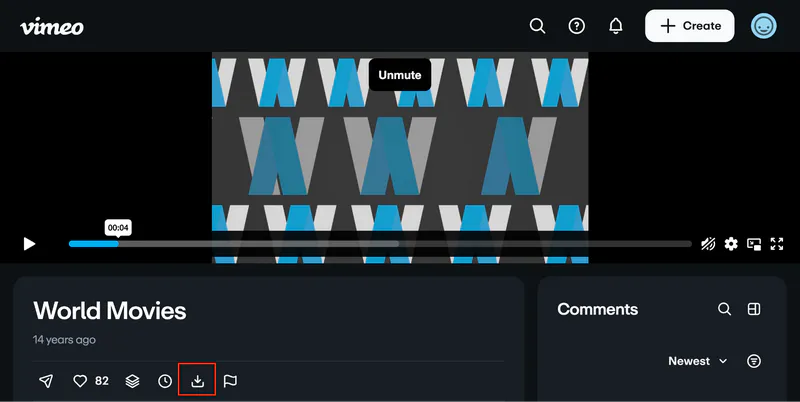
Logged-in users can download a Vimeo video if the video owner has enabled the download option. This is also one of the most recommended ways to download. The official Vimeo "Download" button is usually located in the same area as the "Like" and "Share" buttons. It only appears if the video owner has enabled download permissions. The specific resolutions or source files available for download depend on the video owner's settings. Here is how to download videos from Vimeo:
Step 1: Log in to your Vimeo account first.
Step 2: Open the video's page on vimeo.com and locate the "Download" button below the video player on the playback page.
Step 3: Click the "Download" button to save the Vimeo video.
If the "Download" button does not appear on the video page, it usually means the video owner has not enabled download permissions. Such private, restricted, or DRM-protected content typically cannot be downloaded.
Important Notice: Please respect the uploader's settings, content copyright, and access permissions. Download only videos that you own, have authorized, or are legally permitted to store.
Part 2: Desktop Vimeo Downloader for Vimeo Channels & Batch Downloads
Official Vimeo downloads are typically in MP4 format, though the source file depends on the format originally uploaded. If the downloadable video doesn't have the format you want, or if you need to further convert the video to formats such as MKV, MP3, FLAC, WAV, or M4A, Any Video Converter will be more flexible in this case.
It supports batch downloading and handles media tasks like format conversion, video trimming, audio separation/extraction, and speech to text transcription, making it ideal for users who need a comprehensive post-download workflow.
Additionally, Any Video Converter features an "Auto Download" feature that automatically monitors supported Vimeo channels for updates and adds new content to the download queue.
Key Features of Any Video Converter
- Download Vimeo videos or embedded Vimeo videos for free.
- Built-in Vimeo browser and keyword search.
- No output watermarks, no Vimeo video duration limits.
- Download in HD, 4K, or higher quality when provided.
- Batch download Vimeo videos and extract Vimeo audio.
- Continue processing downloaded files with editing tools.
How to Download Vimeo Videos with Any Video Converter
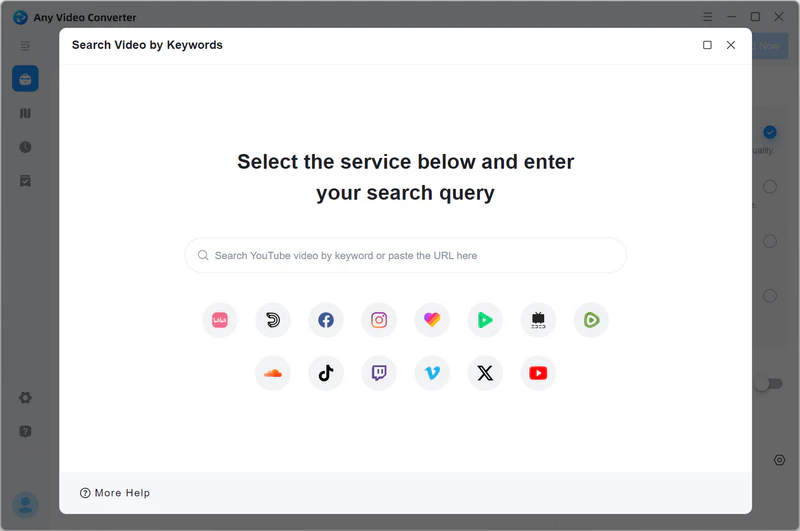
Step 1 Open Built-in Vimeo Browser
Move your mouse to "Add URL(s)" and click the " " icon to open the built-in Vimeo browser.
Step 2 Parse Vimeo URL(s)
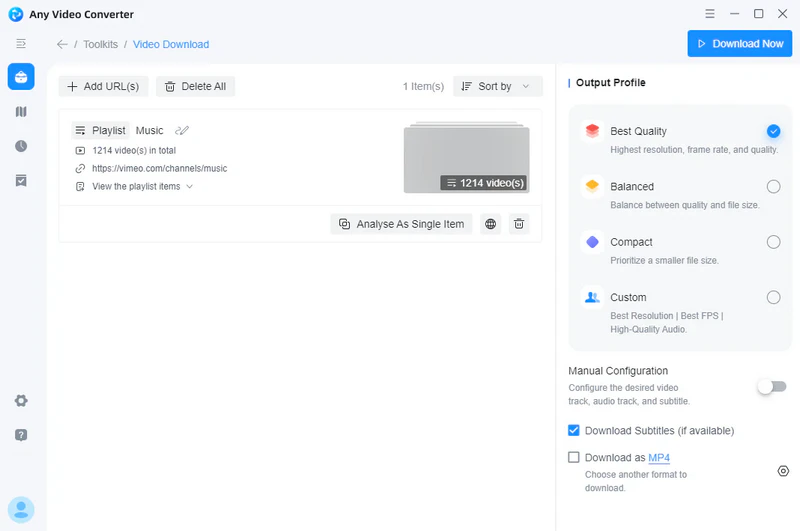
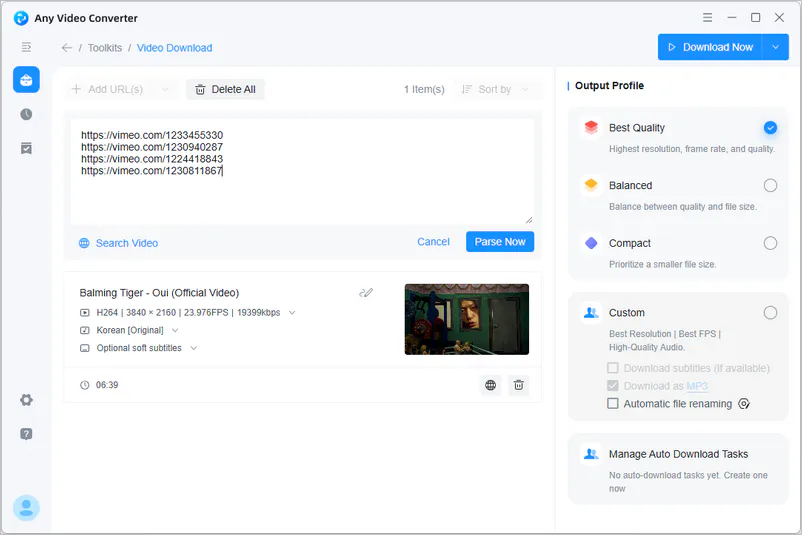
Log in to your Vimeo account, search for a Vimeo video, and click "Add to Parsing List" to add them to your download list. After adding, click "Parse Now".
Step 3 Choose Output Profile
Before you start downloading Vimeo videos, you can set the quality and format of the video. Select "Download as MP4/MKV/M4A" at the bottom. If you want to save as an audio format, you can choose MP3, FLAC, or WAV.
Step 4 Download Vimeo Videos
Click the "Download Now" button to start downloading Vimeo videos. After the download is complete, you can view the file in the history.
Part 3: Free Online Vimeo Video Downloaders Tested in 2026
In this part, I will introduce online Vimeo video downloaders. 9xbuddy, VidDown, AnyDownloader, Loader.to, MoiMobi, and Klipa.ai are six online free Vimeo video downloaders selected after various tests. If you're interested in online tools, you can try these convenient and simple online Vimeo video downloaders.
1. 9xbuddy
9xbuddy is not only a free Vimeo video downloader online but also a versatile converter. You just need to copy and paste the Vimeo video link and a pop-up window displays the available download options. This online downloader requires no installation and is compatible with browsers on any device. Although it supports output resolutions up to 4K, you will need to switch to the desktop application if the final file size exceeds 500 MB.
👉 [2026 Updated] 9xbuddy Review >>
Pros:
❤ Download Vimeo videos online for free
❤ No software installation required
Cons:
💔 Very slow download speed
💔 500 MB output file size limit
💔 No custom parameter options
💔 Pop-up ads may appear during the video parsing process
2. VidDown
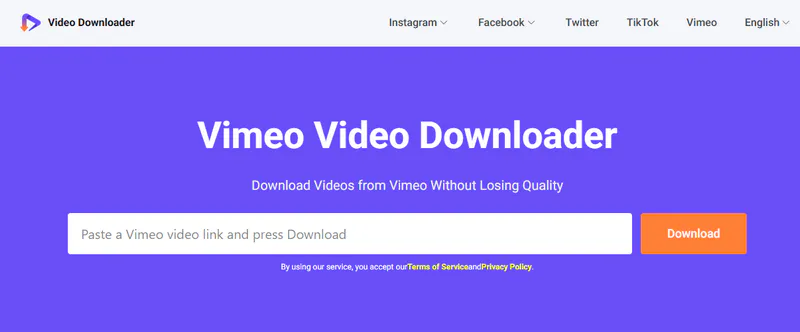
VidDown is an online video downloader designed to assist you in saving Vimeo to MP4 format for free. Regarding quality, VidDown states that it can download 1080p, 2K, or 4K files, provided the source video itself offers these resolutions.
Pros:
❤ Save high-quality videos for free
❤ User-friendly and intuitive UI
Cons:
💔 Contains redirects
💔 Only MP4 output format
💔 Cannot download directly from Vimeo Channel pages
3. AnyDownloader
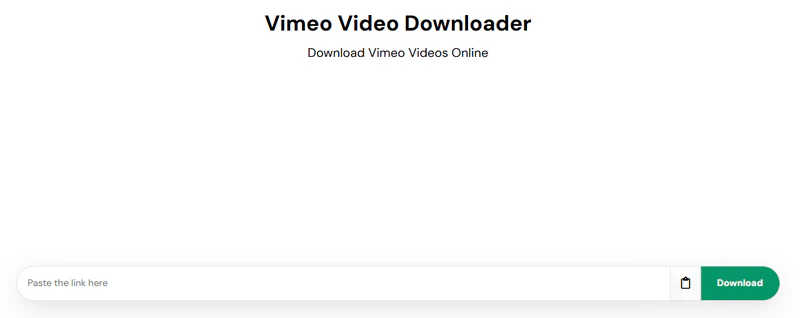
AnyDownloader is an online video downloader that supports downloading from over 10 websites, including Vimeo. This free Vimeo video downloader allows you to individually download Vimeo videos up to 1080p, depending on the resolution of the video. In the Vimeo test, only MP4 options were returned.
Pros:
❤ Free and unlimited video downloads
❤ No registration required
Cons:
💔 No Vimeo audio extraction
💔 It can only save Vimeo videos in MP4
💔 Sometimes a download error occurs
4. Loader.to
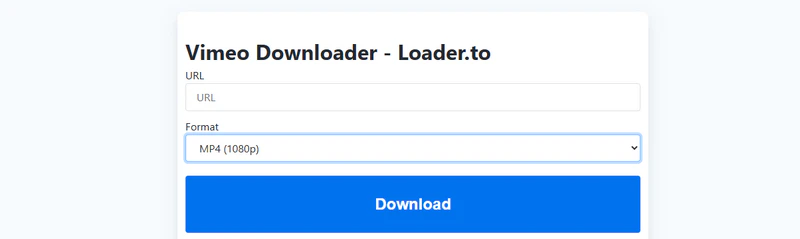
Loader.to provides an online Vimeo video downloader as well as a mobile app for Android. You can use this Vimeo downloader to download videos from 144p to 1440p. Additionally, it enables you to extract audio from Vimeo videos in multiple formats, such as MP3, WAV, AAC, and more.
Pros:
❤ Provides a multilingual user interface
❤ Multiple video and audio formats to choose from
Cons:
💔 Slow download speed
💔 Each click redirects to a new advertised page
5. MoiMobi
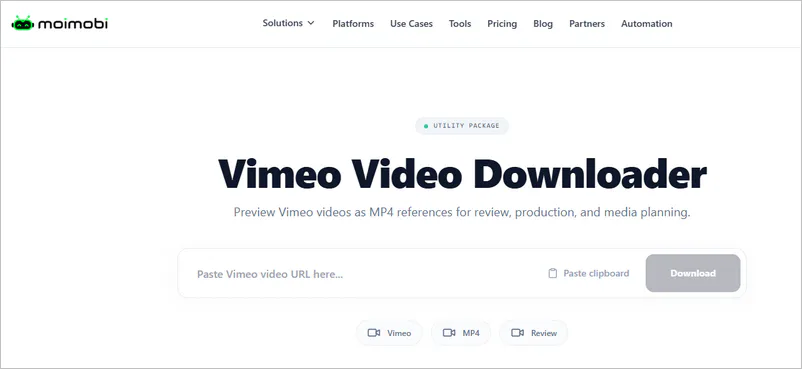
MoiMobi offers an online Vimeo video downloader primarily designed for public Vimeo video links. You can download videos for free without signing in, while signing in unlocks a limit of 20 free downloads per day.
Pros:
❤ Clearly lists download options from 240p to 1080p
❤ There is a separate download button for each resolution
Cons:
💔 Currently only MP4 output is available
💔 Unable to batch download from Vimeo
6. Klipa.ai
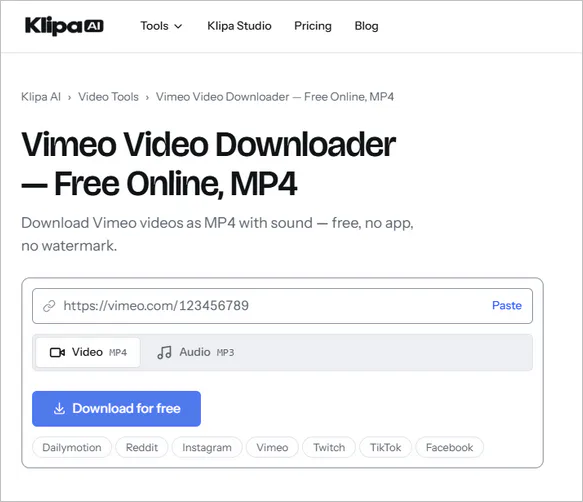
Klipa.ai lets you download Vimeo videos in MP4 with sound for free and no watermark. During testing, the website did not offer video quality options; Vimeo videos were output at 360p by default.
Pros:
❤ You can preview the video before downloading
❤ Clear access to free downloads
Cons:
💔 The free version offers only 360p; HD and 4K require an upgrade
💔 No video editing tools
Part 4: Vimeo Video Downloader Chrome Extensions
Besides the online Vimeo video downloader and desktop software Any Video Converter, you can also try Chrome extensions. Simply add the correct extension, and you can download videos directly from the Vimeo website.
1. Bulk Media Downloader
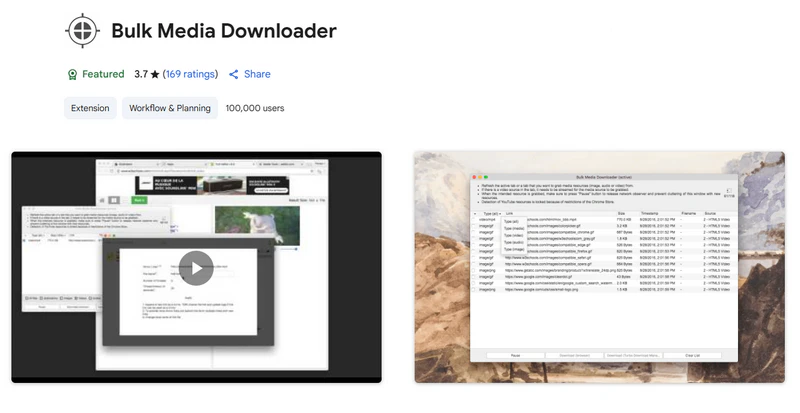
The Bulk Media Downloader extension can collect various media file resources, including images, audio, and video, and allows you to download them in batches using your browser's default download manager or a custom download manager. Compared to online Vimeo video downloaders, this extension directly grabs the source files, avoiding ad redirects. After testing, it works for public videos on Vimeo pages, but it fails to download private Vimeo videos.
Pros:
❤ Download media files from a Vimeo page
❤ Supports not only Vimeo videos, but also audio and images
❤ No impact on browser performance
Cons:
💔 Does not support YouTube downloads
💔 It takes some time to get used to
💔 May be unstable on some websites
2. Video Downloader VeeVee
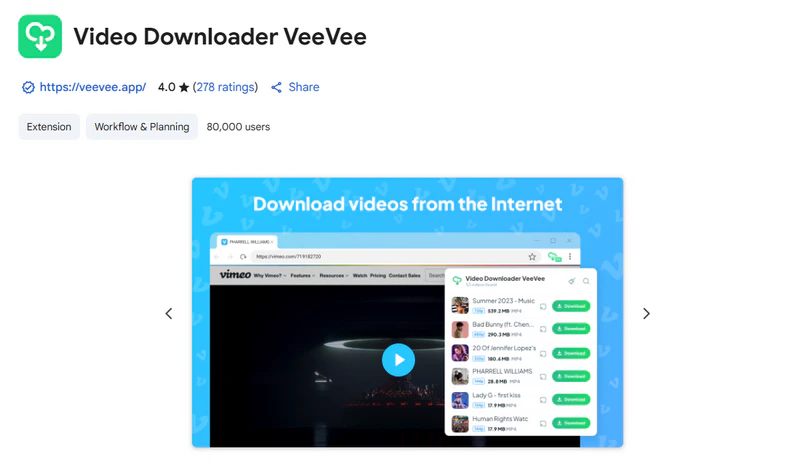
Video Downloader VeeVee is a multi-browser extension (Chrome, Firefox, and Opera) that focuses on downloading video and audio files from various video sites, including Vimeo. It's easy to use, supports HD quality, and offers batch downloading. It's free and requires no registration or subscription.
Pros:
❤ Download videos from multiple popular sites, including Vimeo
❤ Allows you to preview videos before downloading
❤ Download Vimeo videos to your phone via QR code
Cons:
💔 Download speed depends on your network connection
💔 Lacks advanced features like video editing
Part 5: How to Download Vimeo Videos on iPhone and Android
Want to save Vimeo videos to your mobile phone? There are several ways to do this.
- Create an offline playlist on Vimeo.
- Download your own Vimeo uploads.
- Transfer an authorized video from a computer.
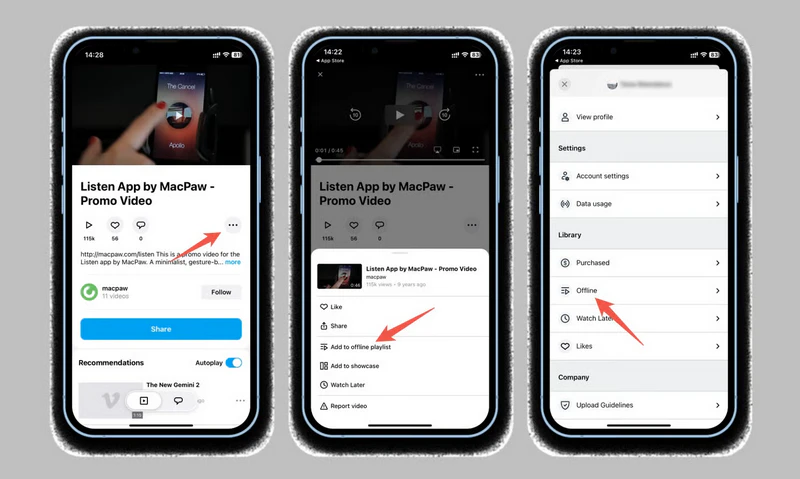
1. Save Vimeo Videos for Offline Viewing in the App
If you have the Vimeo app on your smartphone, you can create offline playlists. This isn't the same as downloading, but you can watch any Vimeo video offline.
Step 1: Open the Vimeo video you want to save and click the "...".
Step 2: Click "Add to Offline Playlist" and wait for the video to download.
Step 3: Open your account on the home page. There you will find the "Offline" section.
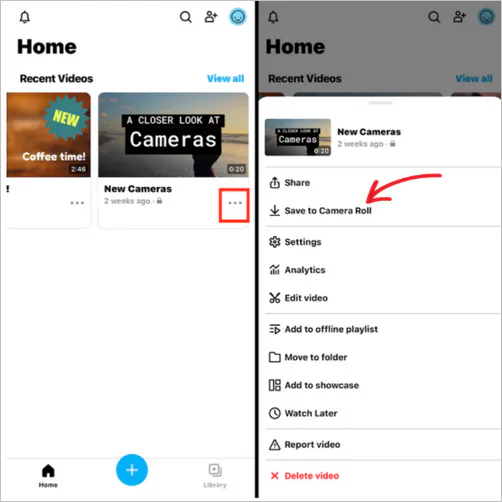
2. Download Your Own Vimeo Uploads
If you want to download the videos you've created, you can save them directly to your phone using the Vimeo iOS or Android app.
Step 1: Open the Vimeo app and select your video from Home or Library.
Step 2: In the Android app, click the options menu. In the iOS app, click the three-dot "•••" menu next to the video.
Step 3: Select "Save to Camera Roll" to save your video to your mobile device.
3. Transfer an Authorized Video from a Computer
If you have already obtained the Vimeo video file on your computer, you can transfer it to your mobile phone. iPhone and iPad users can use AirDrop or iCloud Drive, while Android users can transfer files via USB, Google Drive, or Dropbox.
Part 6: FAQs about Vimeo Video Downloaders
Why is there no Download button on Vimeo?
If you do not see a Download button, it usually means the uploader has disabled downloads or the current video/account does not have permission to access downloadable files. Vimeo also does not provide a Download button inside embedded players.
How do I download an embedded Vimeo video?
If you watch a Vimeo video via an embedded player on another website, it is difficult to download that video. If the video owner has enabled the download option, please open the video on Vimeo.com and use the official "Download" button. For videos you own or are authorized to save, you may also use Any Video Converter to process Vimeo links or embedded media.
How do I download all videos from a Vimeo channel?
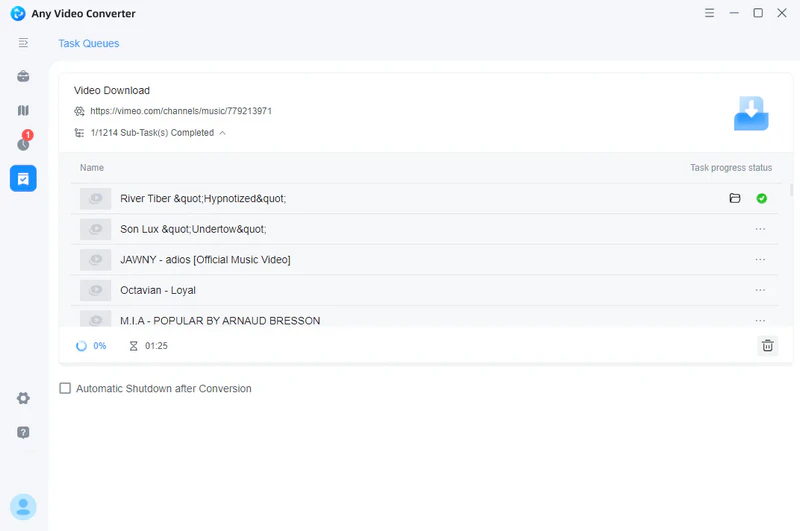
Any Video Converter supports downloading all videos from a Vimeo channel. You only need to paste the channel link into the search box, and the program will automatically identify all the videos in the channel and download them all at once.
Which is the best Vimeo video downloader?
The best Vimeo downloader depends on your needs. Any Video Converter is a strong option for users who need batch downloads, Vimeo channel support, multiple output formats, and post-download processing such as conversion, trimming, audio extraction, and video to text transcription.
Will I lose Vimeo quality using Any Video Converter?
If you download available Vimeo video streams without re-encoding, the original quality is typically preserved. However, if you convert the video to a different format, resolution, or codec, the quality may be affected by the chosen settings.
Conclusion
This article introduces the 10 best free Vimeo video downloaders of 2026, including online tools and browser extensions designed to help you easily download and convert Vimeo videos.
Among these 10 Vimeo video downloaders, Any Video Converter is a strong choice. It not only downloads Vimeo videos for free but also save the Vimeo up to HD, 2K, 4K, and 8K quality. It also supports batch downloads, making it easy to download individual videos or entire channels. Furthermore, downloaded videos are free of watermarks, allowing you to watch them offline without limitation.

Besty Smith | Content Writer
Besty Smith is a talented and insightful content creator with a keen interest and passion for software programs. She focuses on in-depth research and hands-on experience with various types of software, providing readers with in-depth and inspiring content through precise writing. With her keen insight into the software industry, Besty is committed to helping readers keep abreast of the latest industry trends so that they can stay competitive in the digital age.